YouGooDai
Mobile of the Day

YouGooDai

5.0 FREE
  • Screenshot 1

Description

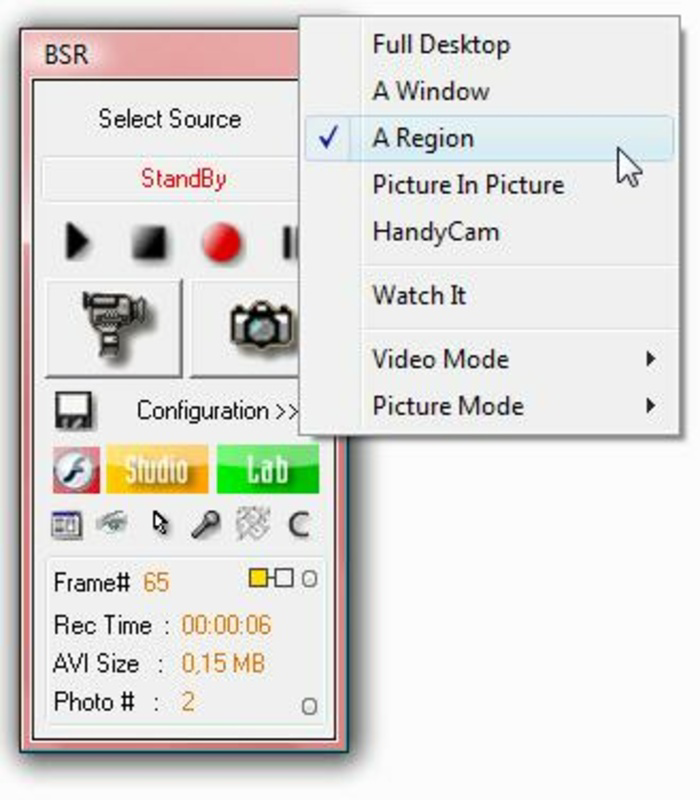
About Bulent Screen Recorder para VistaBulent's Screen Recorder is an excellent app that allows users to capture high-quality videos and images from their screen or webcam. With its user-friendly interface, it offers various configuration options for video quality, sound, and subtitles. The application also provides additional editing tools, making it easy for users to refine their recordings. A special installation package is available for Windows Vista users, ensuring compatibility and functionality. Features of Bulent Screen Recorder para Vista - User-Friendly Interface: The application boasts an intuitive interface that simplifies the recording process. Users can easily navigate through options to configure image and video settings according to their preferences. This ease of use makes it accessible for both beginners and seasoned users alike. - Versatile Recording Options: Bulent's Screen Recorder enables users to capture a variety of content, from their webcam to full-screen recordings. Whether it's for tutorials, gameplay, or webinars, the app provides flexibility to cater to different recording needs. Users can also record specific areas of the screen as needed. - Editing Tools Available: With integrated tools like BSR Studio and BSR Movie Lab, users can easily edit their videos and images post-recording. These editing options mirror the main program's usability, allowing for straightforward enhancements like trimming or adding subtitles. This feature enriches the user experience and results in polished final products. - Stealth Recording Feature: Bulent's Screen Recorder includes a discreet mode that can silently record your screen whenever specific changes or activities are detected. This functionality is useful for monitoring purposes or capturing events without interference. Users can trust that their activities can be documented without attracting attention. - Vista Compatibility: Windows Vista users have access to a dedicated installation package available on the program's website. This ensures that those using this older operating system can still enjoy the full range of features. The compatibility focus highlights the developers' commitment to serving a variety of users. Release Date of Bulent Screen Recorder para Vista 2008-02-13Reviewed by Ryan J. BoudreauxShow MoreShow Less

Guides & Tutorials for Bulent Screen Recorder para Vista

How to install Bulent Screen Recorder para Vista
  1. Click the Preview / Download button above.
  2. Once redirected, accept the terms and click Install.
  3. Wait for the Bulent Screen Recorder para Vista download to finish on your device.
How to use Bulent Screen Recorder para Vista

This software is primarily used for its core features described above. Open the app after installation to explore its capabilities.

User Reviews for Bulent Screen Recorder para Vista 0

    No reviews found

Similar Apps
